
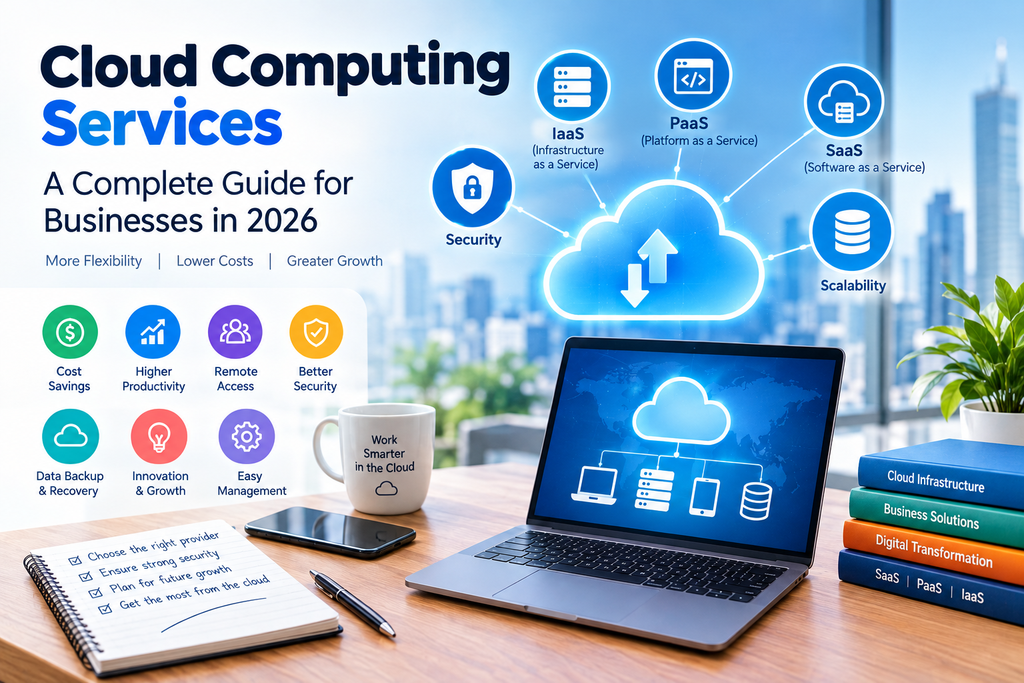
Businesses today rely heavily on technology to store data, run applications, communicate with customers, and manage everyday operations. But maintaining physical servers and IT infrastructure can be expensive and complicated, especially for small and growing businesses.
This is where cloud computing services come in.
Cloud technology allows businesses to access computing resources such as storage, servers, databases, software, and processing power over the internet. Instead of purchasing and maintaining all the necessary hardware themselves, companies can use cloud services from a provider and pay for the resources they need.
From storing important files to running complete business applications, cloud computing has become an important part of modern IT infrastructure.
In this guide, we’ll explain what cloud computing services are, how they work, their main types, benefits, potential drawbacks, and how to choose the right cloud solution for your business.
What Are Cloud Computing Services?
Cloud computing services are technology services delivered over the internet rather than through physical hardware located directly at a business.
These services can include:
- Cloud storage
- Virtual servers
- Databases
- Business applications
- Networking
- Data backup
- Website hosting
- Security services
- Data analytics
- Artificial intelligence and machine learning tools
For example, instead of purchasing a physical server to store company files, a business can use cloud storage and access those files securely through an internet connection.
The cloud provider manages much of the underlying infrastructure, while the customer uses the resources according to their needs.
How Does Cloud Computing Work?
Cloud computing works by providing computing resources through remote data centers.
When you use a cloud service, your files, applications, or computing workloads may be processed and stored on servers operated by a cloud provider.
You can then access those resources through the internet using a computer, smartphone, tablet, or another connected device.
For businesses, this means employees can often work with the same data and applications from different locations without needing to maintain a traditional server environment in the office.
Types of Cloud Computing Services
Cloud computing isn’t one single type of service. There are several models, each designed for different business requirements.
1. Infrastructure as a Service (IaaS)
Infrastructure as a Service, commonly called IaaS, provides fundamental computing resources such as virtual machines, storage, and networking.
Instead of buying physical servers, businesses can rent virtual infrastructure from a cloud provider.
IaaS is useful for companies that want greater control over their computing environment without managing physical hardware.
Typical IaaS resources include:
- Virtual machines
- Storage
- Networks
- Firewalls
- Computing power
- Backup infrastructure
IaaS is commonly used for websites, applications, development environments, and business workloads.
2. Platform as a Service (PaaS)
Platform as a Service (PaaS) provides developers with an environment for building, testing, and deploying applications.
With PaaS, developers don’t necessarily need to manage the underlying servers and operating systems themselves.
This allows development teams to focus more on creating applications instead of spending time managing infrastructure.
PaaS can be particularly useful for businesses developing custom software or web applications.
3. Software as a Service (SaaS)
Software as a Service (SaaS) is one of the most familiar forms of cloud computing.
Instead of installing software directly on a computer, users access an application through the internet.
Examples of SaaS applications include:
- Email platforms
- Customer relationship management software
- Accounting applications
- Project management tools
- Online collaboration platforms
- Marketing software
SaaS is popular because businesses can usually start using the software without purchasing or maintaining the underlying infrastructure.
Public vs. Private vs. Hybrid Cloud
Cloud environments can also be categorized based on how the infrastructure is deployed.
Public Cloud
A public cloud uses infrastructure provided by a third-party cloud provider.
Businesses share the provider’s underlying infrastructure with other customers, while their data and resources remain logically separated.
Public cloud services are often attractive because they can provide flexible resources without requiring a company to purchase physical data-center equipment.
Private Cloud
A private cloud environment is dedicated to a particular organization.
Businesses that have specific security, compliance, or infrastructure requirements may consider private cloud solutions.
Private cloud environments can provide greater control, although they may require more management and investment.
Hybrid Cloud
A hybrid cloud combines public and private cloud environments.
For example, a company might keep certain sensitive workloads in a private environment while using public cloud resources for applications that need additional scalability.
Hybrid cloud strategies can be useful for businesses with more complex IT requirements.
Benefits of Cloud Computing Services
There are several reasons businesses are moving workloads and applications to the cloud.
1. Lower Hardware Costs
Traditional IT infrastructure often requires businesses to purchase servers, storage systems, networking equipment, and other hardware.
Cloud services can reduce the need for large upfront hardware investments because companies can access infrastructure through a service provider.
2. Scalability
One of the major advantages of cloud computing is scalability.
A business can increase or decrease its use of computing resources as its requirements change.
For example, an online store may need additional computing capacity during a major sales event and less capacity during quieter periods.
3. Remote Access
Cloud applications and storage can make it easier for employees to work from different locations.
As long as users have an appropriate internet connection and authorized access, they can often access business applications and files without being physically present in the office.
4. Faster Deployment
Cloud infrastructure can often be provisioned much faster than purchasing, installing, and configuring physical hardware.
This can help businesses launch new applications and services more quickly.
5. Backup and Disaster Recovery
Cloud platforms can be part of a company’s backup and disaster recovery strategy.
Important business data can be stored in separate locations, helping organizations prepare for hardware failures, accidental deletion, or other disruptions.
However, businesses should still understand their provider’s backup policies rather than assuming that every cloud service automatically provides complete backups.
6. Easier Collaboration
Cloud-based applications can allow multiple employees to work with shared information and documents.
This can reduce the need to send different versions of files back and forth through email.
7. Access to Modern Technology
Cloud platforms can provide access to advanced technologies without requiring every business to build the necessary infrastructure from scratch.
Depending on the provider, this can include analytics, artificial intelligence, machine learning, databases, and other specialized services.
Cloud Computing Services for Small Businesses
Cloud computing isn’t only useful for large corporations.
Small businesses can use cloud services for everyday tasks such as:
- File storage
- Website hosting
- Accounting
- Customer management
- Online meetings
- Team communication
- Data backup
- Cybersecurity
For a small business, cloud technology can make it possible to access professional IT tools without maintaining a large internal IT department.
However, businesses should choose services based on their actual requirements instead of paying for features they don’t need.
Cloud Computing and Data Security
Security is one of the most important considerations when choosing a cloud provider.
Moving data to the cloud does not automatically make it secure. Businesses still need to configure accounts, permissions, devices, and applications correctly.
Important security features to consider include:
- Multi-factor authentication
- Encryption
- Access controls
- Security monitoring
- Regular backups
- Activity logs
- Identity management
- Data recovery options
Employees should also receive basic cybersecurity training because phishing attacks and stolen passwords can create risks even when a business uses a reputable cloud provider.
How to Choose the Right Cloud Computing Service
With so many cloud providers and platforms available, choosing the right service can seem difficult.
Start by identifying what your business actually needs.
Determine Your Workload
Are you looking for simple cloud storage, website hosting, virtual machines, business applications, or a complete cloud infrastructure?
The answer will help narrow down your options.
Compare Pricing
Cloud providers commonly use different pricing models.
Some services charge based on storage, users, computing resources, data usage, or other factors.
Don’t look only at the advertised starting price. Consider how much the service could cost as your usage grows.
Check Security Features
Review the provider’s security controls, authentication options, encryption, monitoring, and data protection practices.
Consider Performance
If your business depends on fast applications or websites, look at factors such as network performance, availability, server locations, and service reliability.
Look at Support
Technical support can become important when something goes wrong.
Check what support options are available and whether they match the needs of your business.
Think About Scalability
Choose a cloud platform that can support your business as it grows.
Moving from one provider to another can sometimes be complicated, so it is worth considering your long-term requirements before committing to a platform.
Cloud Computing Services vs. Traditional IT Infrastructure
Traditional IT infrastructure typically requires businesses to purchase and maintain their own hardware.
With cloud computing, much of the infrastructure is provided and managed by a cloud service provider.
Here’s a simple comparison:
| Feature | Cloud Computing | Traditional IT |
|---|---|---|
| Hardware | Provider-managed infrastructure | Business-owned hardware |
| Upfront cost | Often lower | Often higher |
| Scalability | Highly flexible | Usually requires new hardware |
| Maintenance | Provider handles much of the infrastructure | Business manages hardware |
| Remote access | Generally easy to support | May require additional setup |
| Deployment | Often faster | Can take longer |
| Control | Depends on service model | Greater direct control |
Neither approach is automatically right for every organization. The best choice depends on business requirements, budget, security needs, and technical resources.
Common Cloud Computing Mistakes to Avoid
Moving to the cloud can provide many advantages, but businesses should avoid treating it as a simple “move everything online” project.
Choosing a Provider Based Only on Price
The cheapest service isn’t necessarily the right solution. Performance, security, support, and scalability also matter.
Ignoring Data Backup
Cloud storage and backup are not always the same thing. Make sure you understand how your provider handles deleted or corrupted data.
Giving Everyone Full Access
Employees should only have the permissions they need to perform their jobs.
Forgetting About Hidden Costs
Data transfer, additional storage, premium support, and increased usage can affect your total cloud bill.
Failing to Plan for Growth
A solution that works for a five-person company may not be suitable when the business grows to 50 or 500 employees.
Are Cloud Computing Services Worth It?
For many businesses, cloud computing can simplify IT management, provide flexible resources, and make modern technology more accessible.
However, the right solution depends on what a business needs.
A small company may only need cloud storage, online accounting, and collaboration tools. A larger organization may require virtual infrastructure, databases, advanced security, analytics, and custom applications.
The key is to choose cloud services based on actual business requirements rather than simply following the latest technology trend.
Frequently Asked Questions
What are cloud computing services?
Cloud computing services provide computing resources such as storage, servers, applications, databases, and networking over the internet.
What are the three main types of cloud computing?
The three main service models are Infrastructure as a Service (IaaS), Platform as a Service (PaaS), and Software as a Service (SaaS).
What are the benefits of cloud computing?
Common benefits include scalability, remote access, reduced hardware requirements, faster deployment, easier collaboration, and access to a wide range of technology services.
Is cloud computing secure?
Cloud computing can provide strong security features, but security also depends on proper configuration, access management, employee practices, and the specific provider and service being used.
Is cloud computing suitable for small businesses?
Yes. Small businesses can use cloud services for email, storage, accounting, communication, website hosting, customer management, backups, and many other tasks.
How much do cloud computing services cost?
Cloud computing costs vary depending on the provider, service type, storage, computing usage, number of users, and other requirements. Some services offer free tiers, while business workloads can cost significantly more as usage increases.
Final Thoughts
Cloud computing services have changed the way businesses use technology. Instead of investing heavily in physical infrastructure, companies can access computing resources and applications through the internet and scale them according to their needs.
From cloud storage and SaaS applications to complete virtual infrastructure, there are solutions for businesses of almost every size.
Before choosing a provider, consider your budget, workload, security requirements, scalability, performance, and support needs. Taking the time to compare these factors can help you choose a cloud solution that supports your business today while leaving room for future growth.
The cloud isn’t simply about moving files or applications online. When used correctly, it can become an important part of a company’s overall technology strategy.